
Introduction
RuoYi AI is an open-source AI application platform for developers, with a Java backend, an admin console, and a user app. Connect models, manage business knowledge, configure agents and tools, and organize tasks in visual workflows to build applications for question answering, document retrieval, and data analysis.
The admin console manages models, knowledge bases, and application settings. The user app provides chat, an application market, and media workspaces. APIs and extension code let you integrate these capabilities into existing systems.
Source code · Local installation · Docker deployment · Report an issue
Try it online
| Service | Address | Default account |
|---|---|---|
| Admin console | http://129.226.199.247:25666 | admin / admin123 |
| User app | http://129.226.199.247:25137 | admin / admin123 |
| Commercial edition | https://web.ruoyiai.chat | Scan the QR code with WeChat |
Core capabilities
Start with one model, then add knowledge bases, tools, and workflows as your application needs them.
| Capability | What you can do |
|---|---|
| Model management and platform integration | Manage providers, models, and their uses centrally. Connect DeepSeek, PPIO, custom OpenAI-compatible or Anthropic-compatible services, and existing AI applications through platform adapters. |
| Knowledge bases and RAG | Upload documents, parse knowledge fragments, test retrieval, and supply reference material to agents and workflows, with hybrid search and reranking. |
| Chat and context | Save messages, restore sessions, and combine the current question with history and knowledge fragments for follow-up conversations within a session. |
| Tools and MCP | Use built-in file, command, and database tools, or connect local and remote MCP services to extend what an application can do. |
| Agents | Combine models, knowledge bases, and tools for question answering, document retrieval, database queries, and chart generation. |
| Workflow orchestration | Connect input, model, condition, and external-service nodes on a canvas to create reusable workflows. |
| Skills | Package task instructions, scripts, and references for on-demand loading in Coding Harness. Regular agents currently only save skill associations. |
| Media workspaces | Configure image, speech, and video requests, query tasks, and preview results. Actual generation requires the provider credential integration described in the media guide. |
For a first installation, follow Local installation and configure one chat model. Once chat works, add knowledge bases, tools, agents, or workflows as needed. The linked guides explain requirements, supported behavior, and extension points.
Interface preview
These screenshots show the admin console, user app, and common operations. Click an image to enlarge it; use the close button, click outside the image, or press Esc to return to the article. The screenshots retain the application's Chinese UI; the English captions explain each view. Follow the tutorial links in each section for instructions.
Admin console and user app
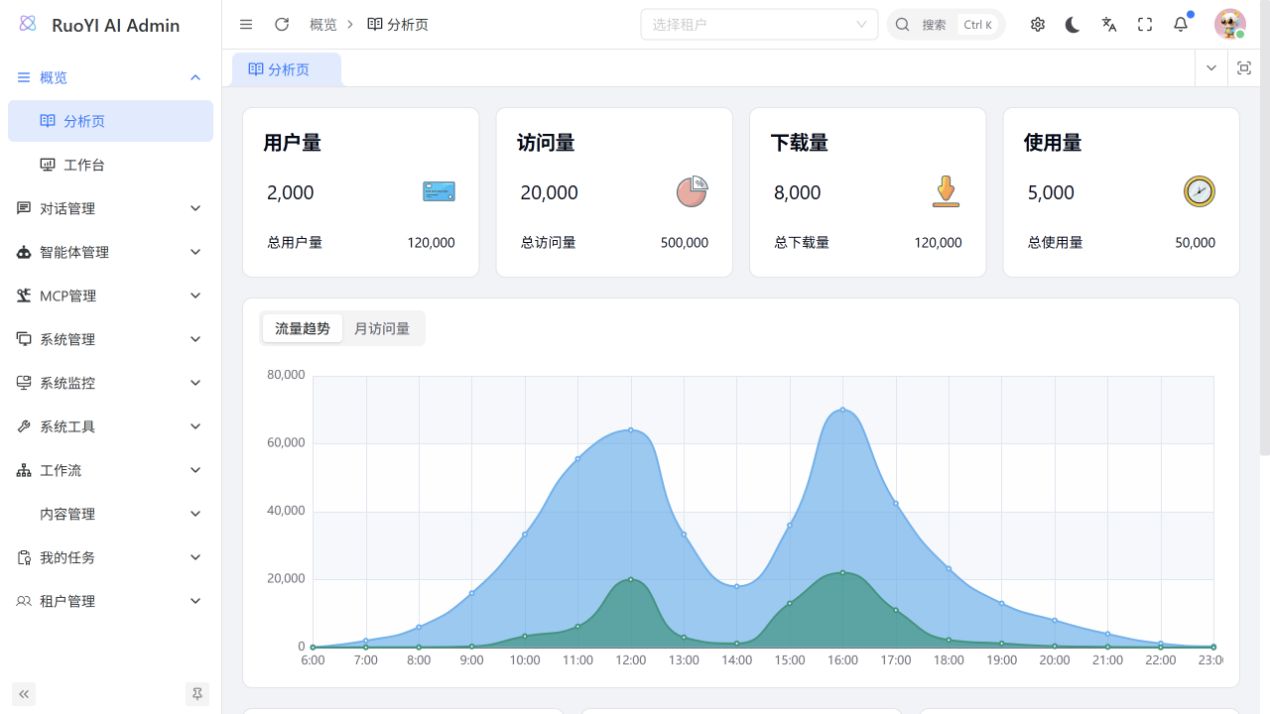
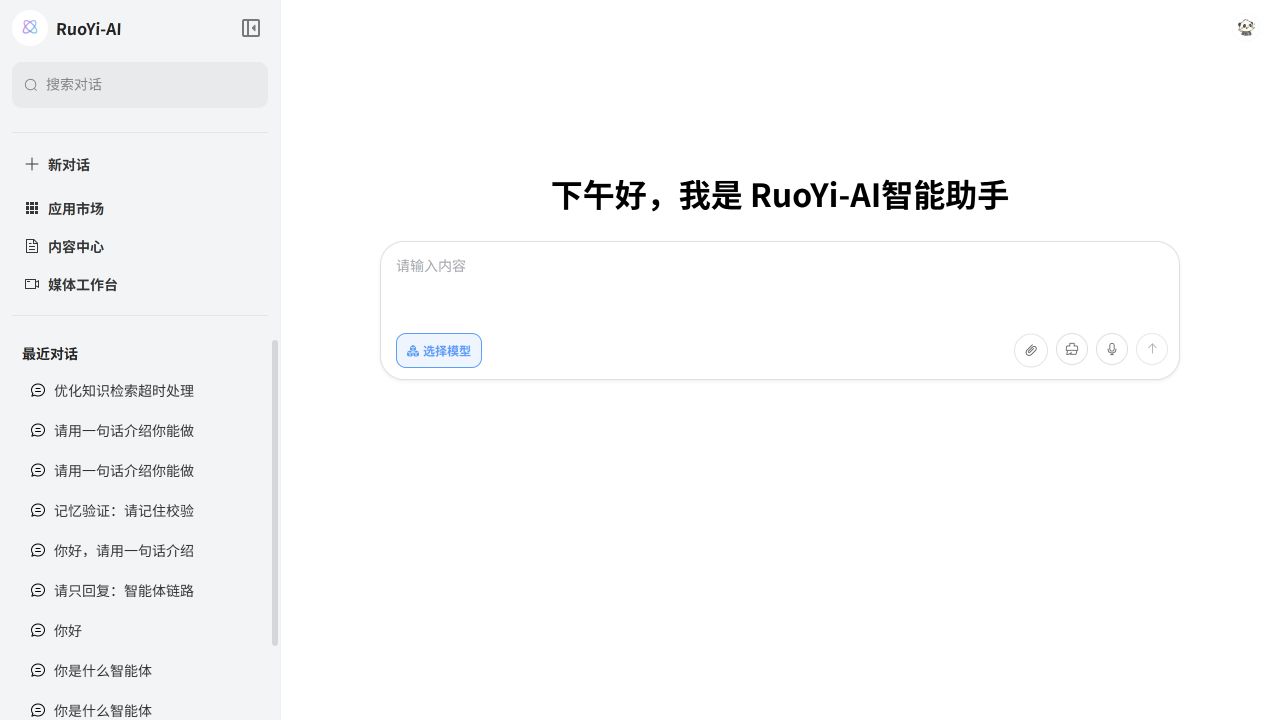
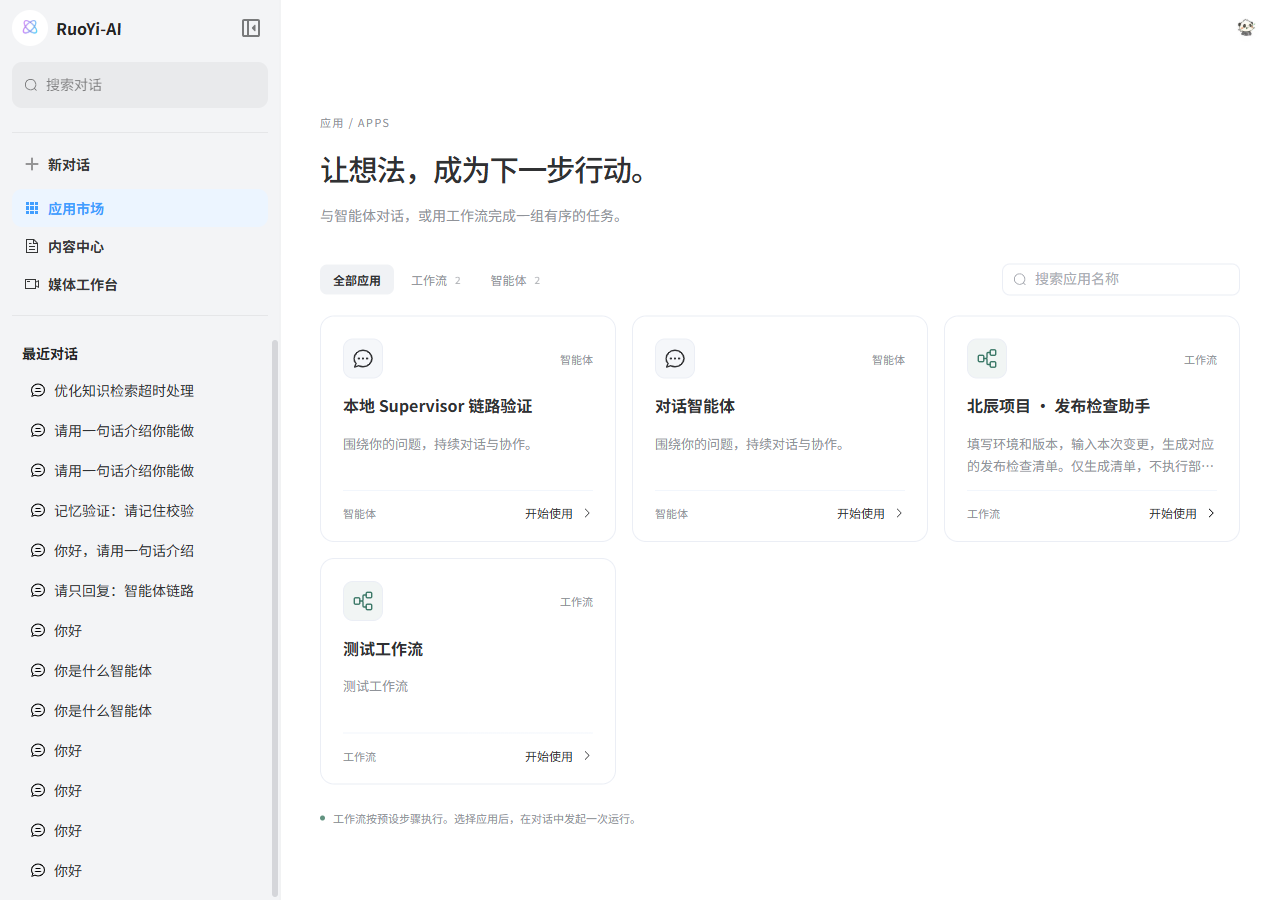
The admin console centralizes configuration, while the user app provides everyday chat and application access. The market lists agents and workflows together so users can choose by task. Dashboard charts are template examples.
Models and platforms
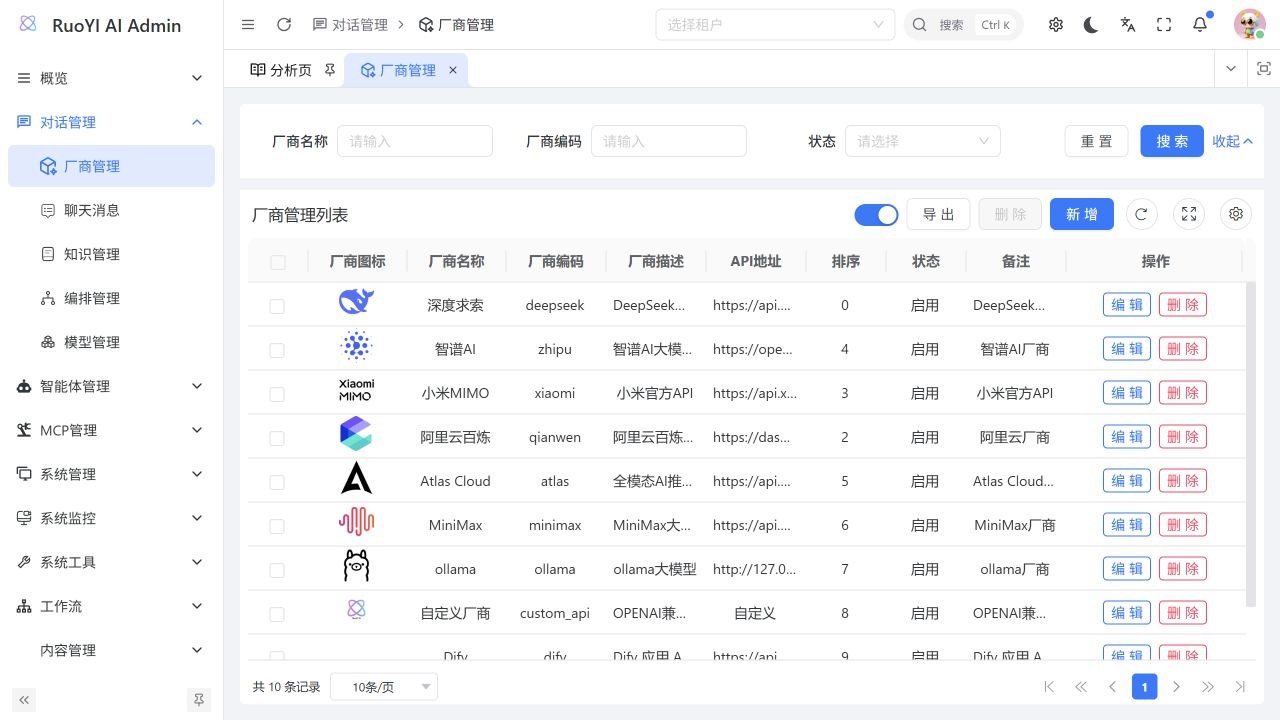
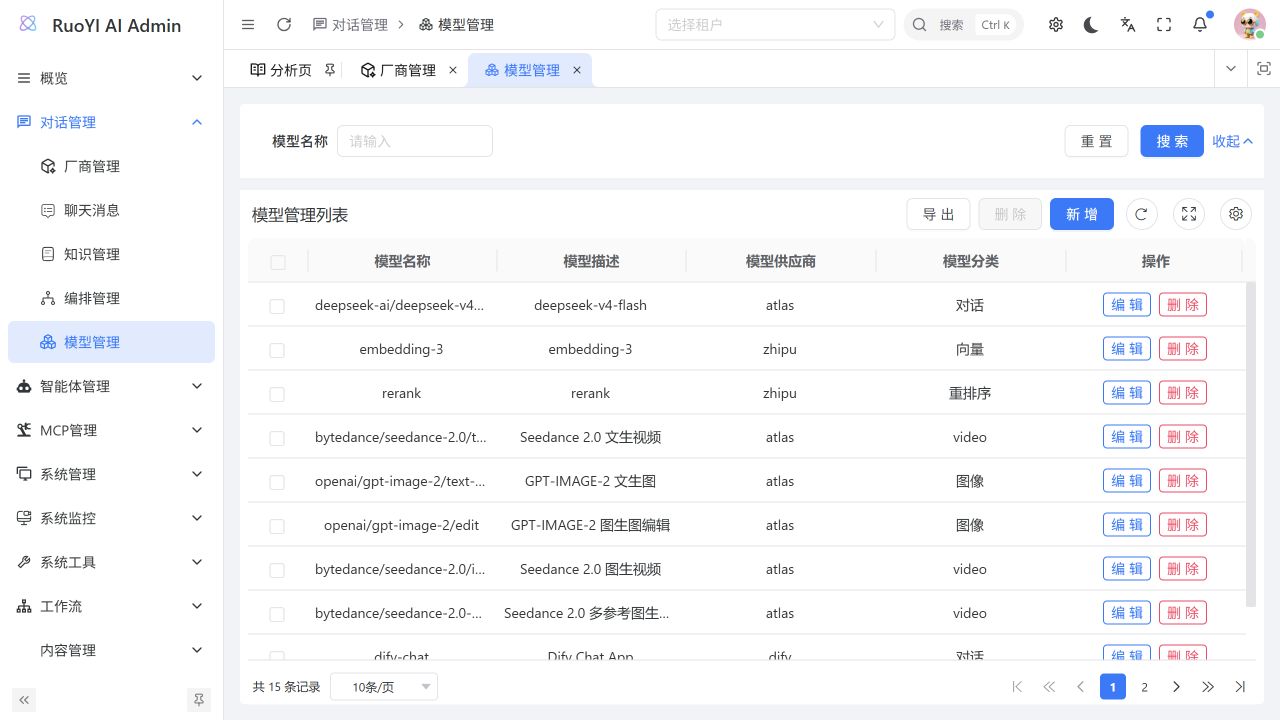
Providers and models are maintained separately, and one provider can have multiple models. Categories make it easier to choose models for chat, embeddings, reranking, and media. See Model management and Platform integration for connection and credential settings.
Image, speech, and video workspaces
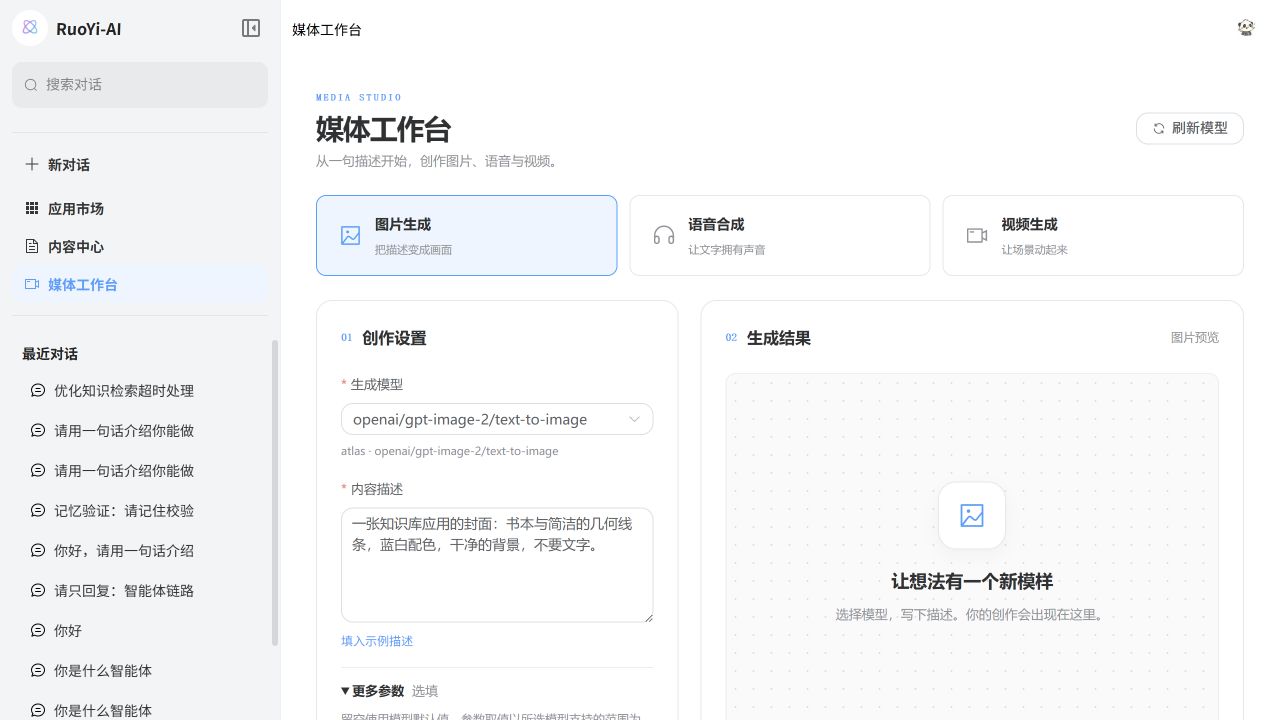
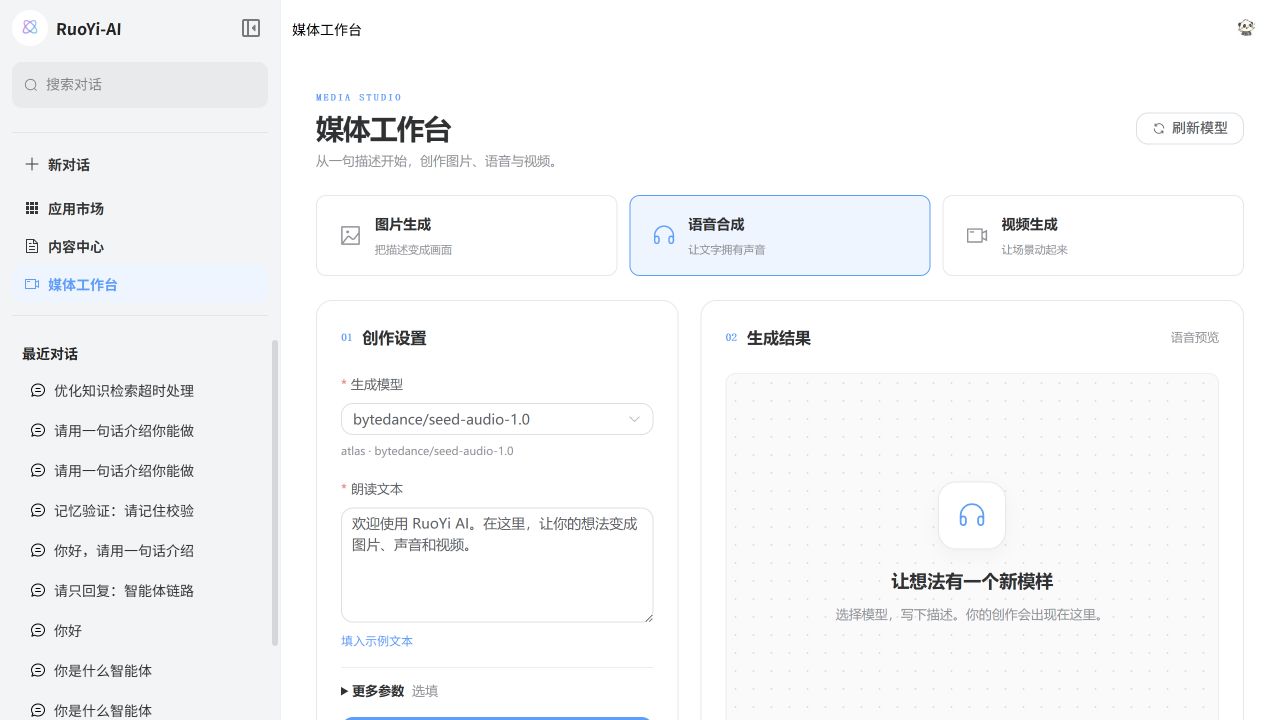
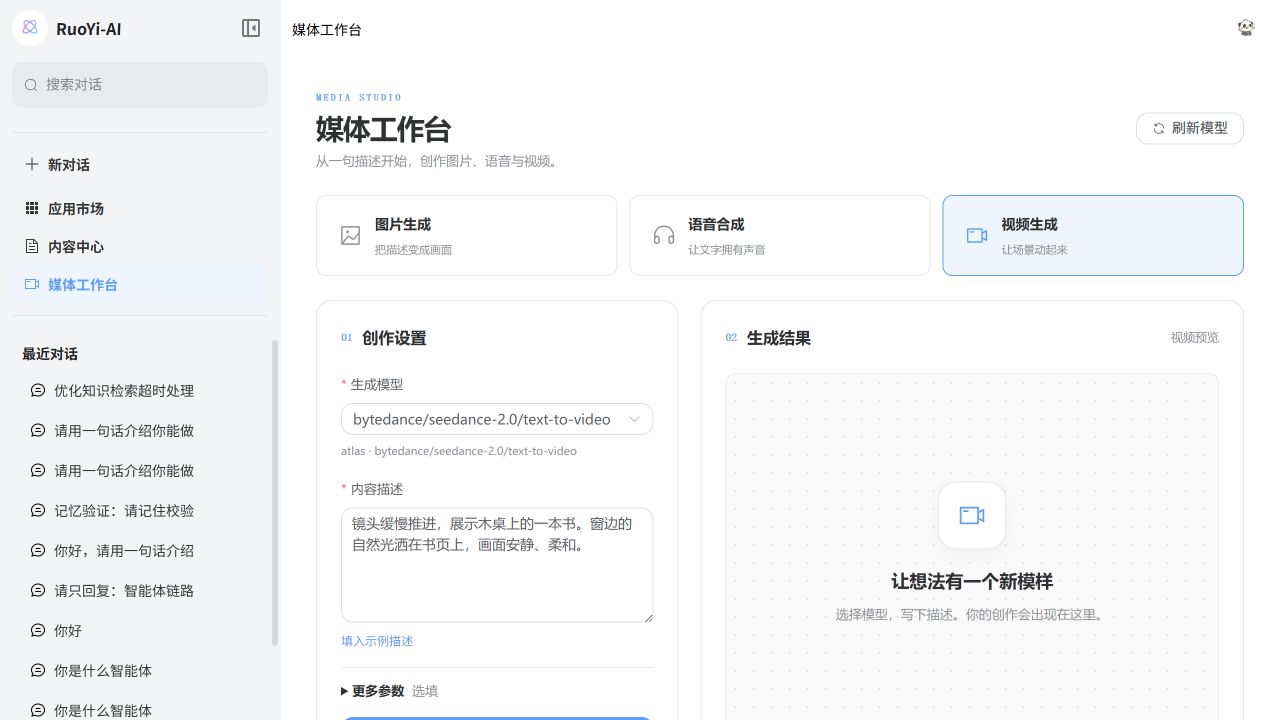
Each media type has its own form, with task records and results available in the workspace. These screenshots show parameter entry. See Multimodal and media capabilities for provider support and credentials required for actual generation.
Knowledge management and RAG
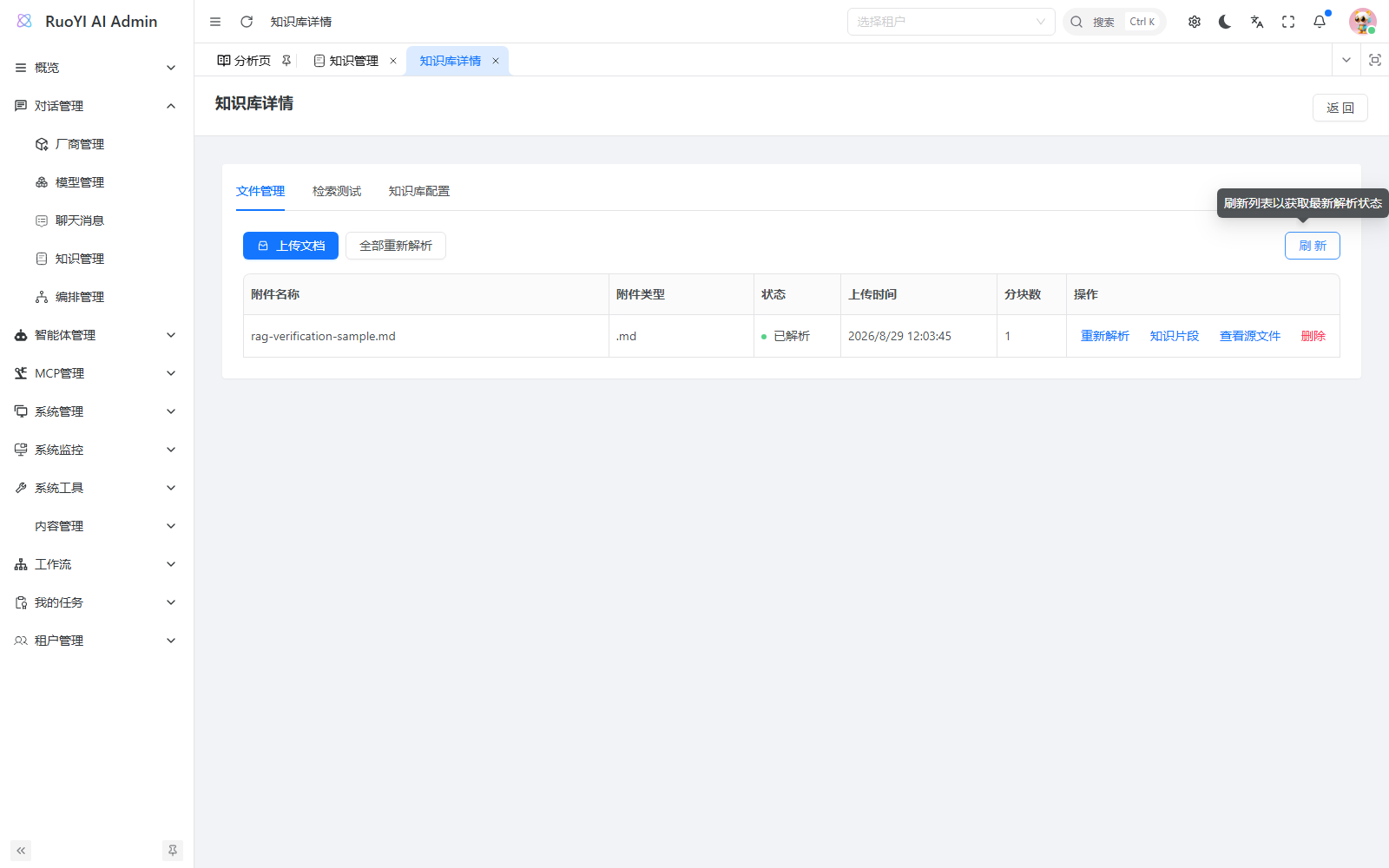
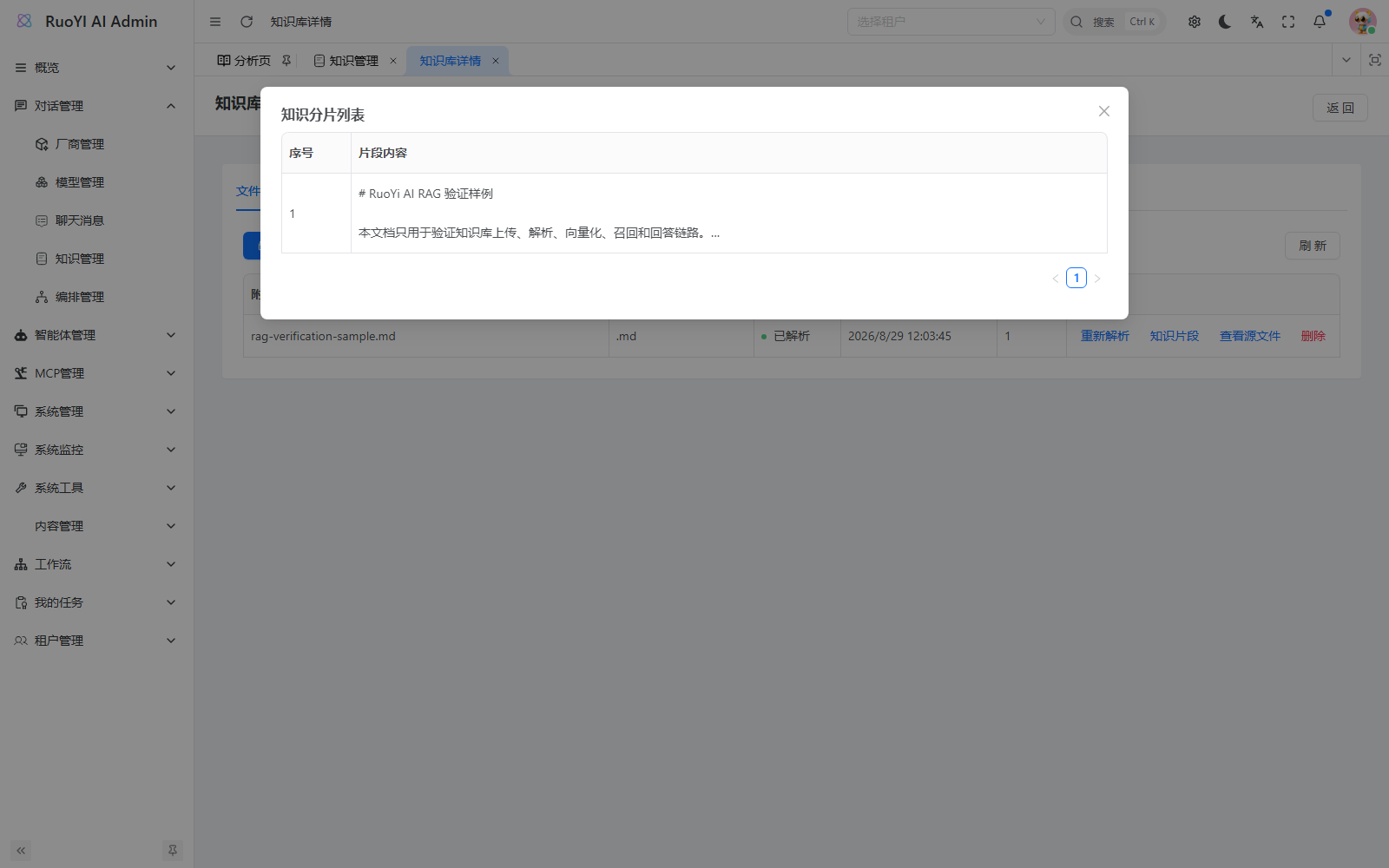
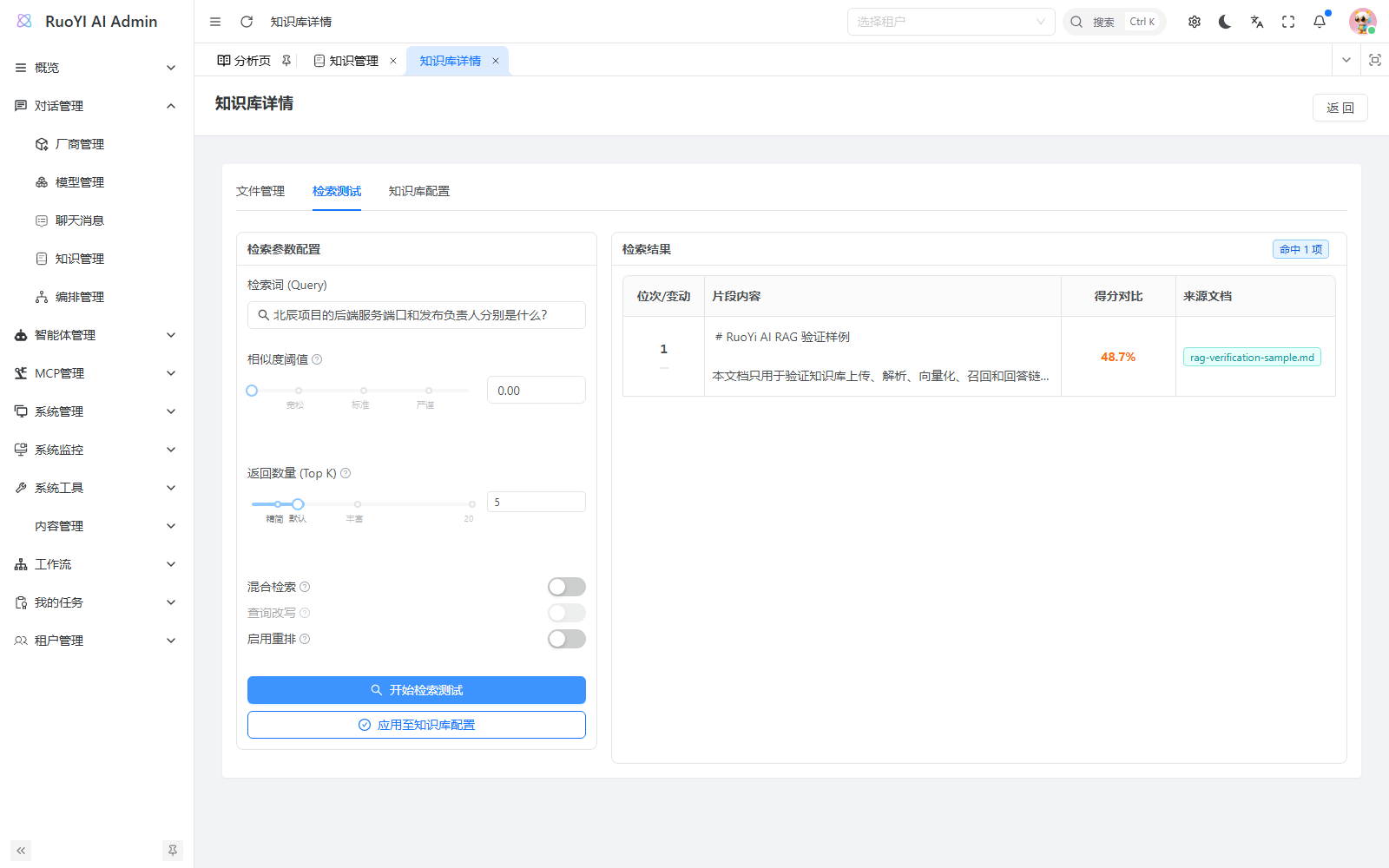
Uploaded documents are parsed, split, and embedded. Inspect fragments and retrieval results before attaching a knowledge base to an agent or workflow. See Knowledge management.
Follow-up conversations and session history
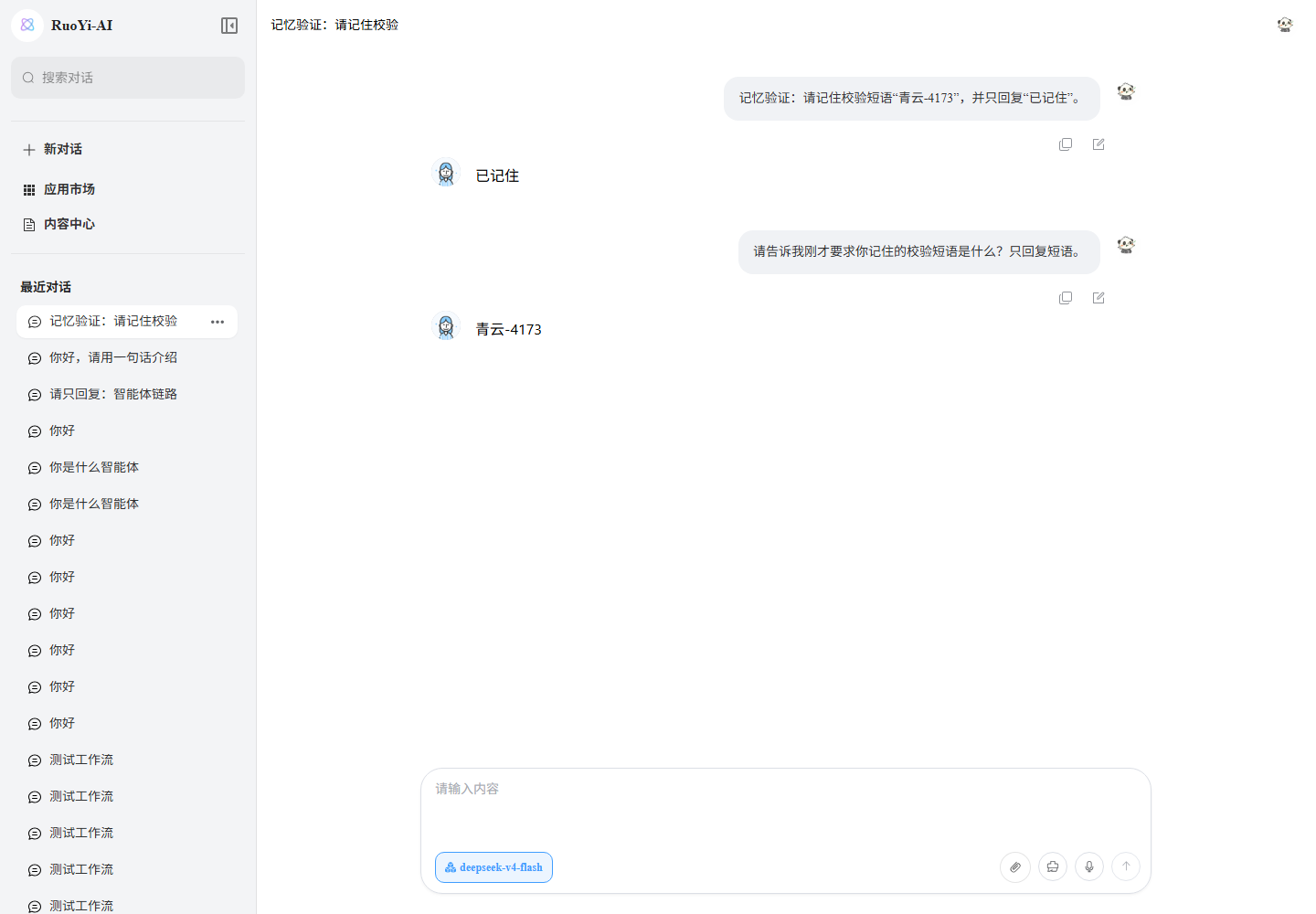
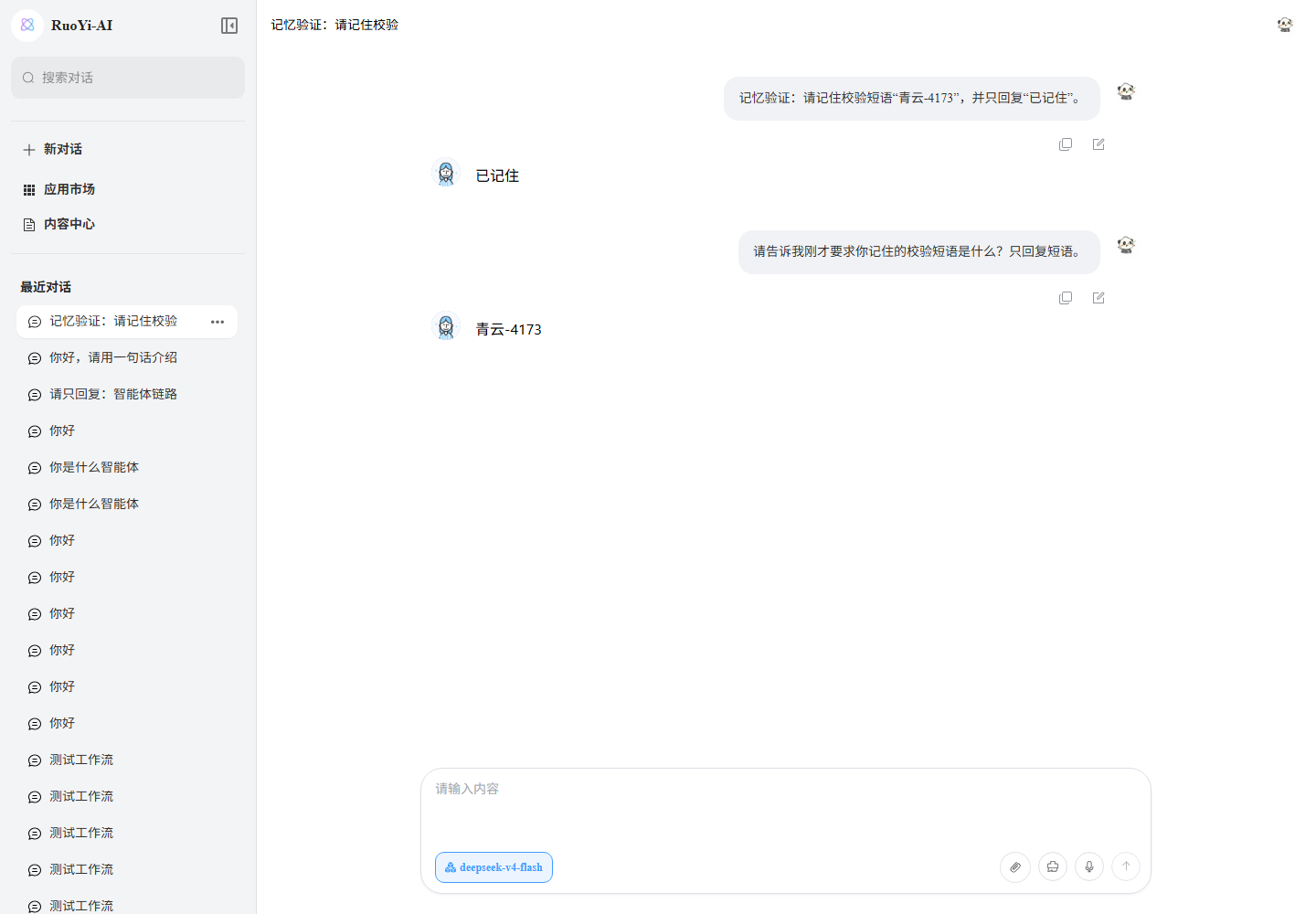
History within a session can inform later answers, and saved sessions can be reopened after a refresh. Memory currently stays within one session. See Context management for assembly and extension options.
Tools, MCP, and Skills
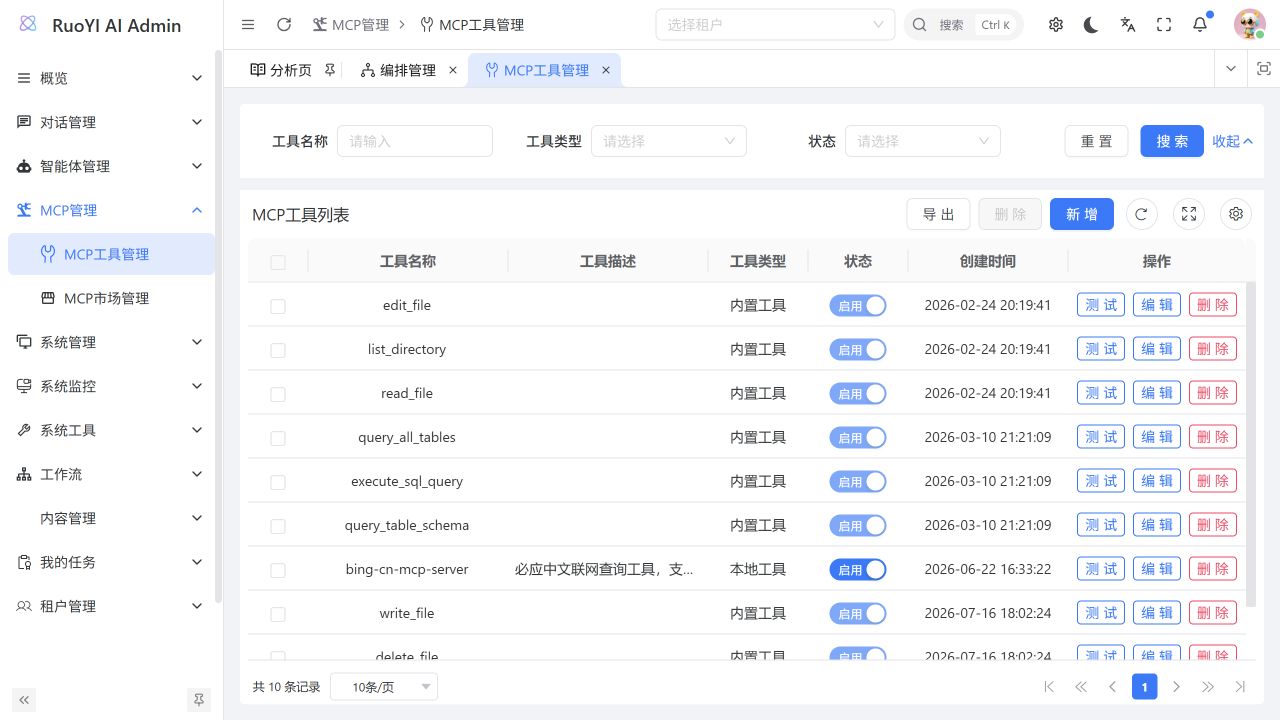
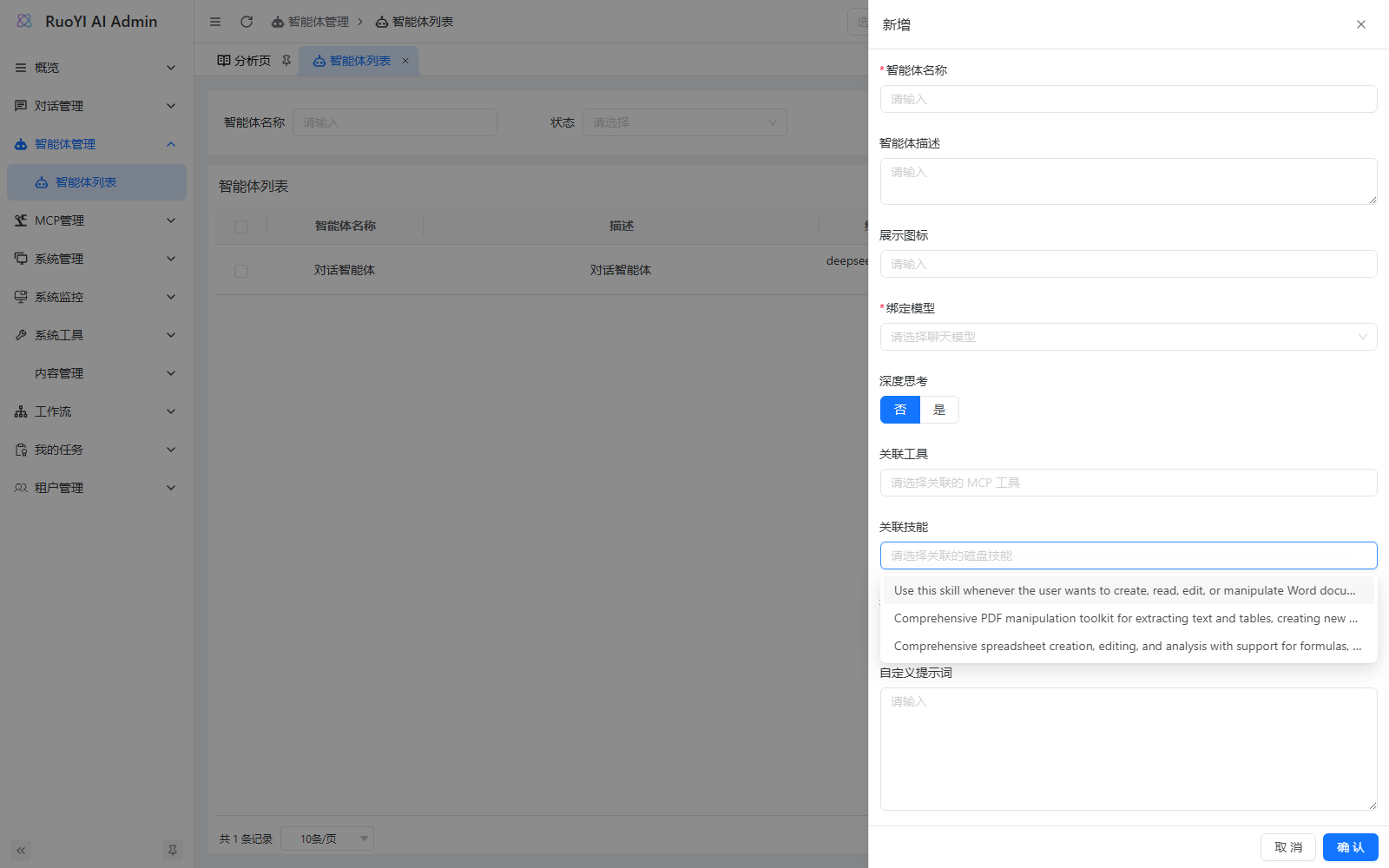
Tools and MCP connect files, databases, and external services. Skills organize task instructions, scripts, and references. Skill execution currently takes place mainly in Coding Harness; regular agent forms save associations that are not yet used during execution. See Tools, MCP management, and Skills.
Visual workflow orchestration
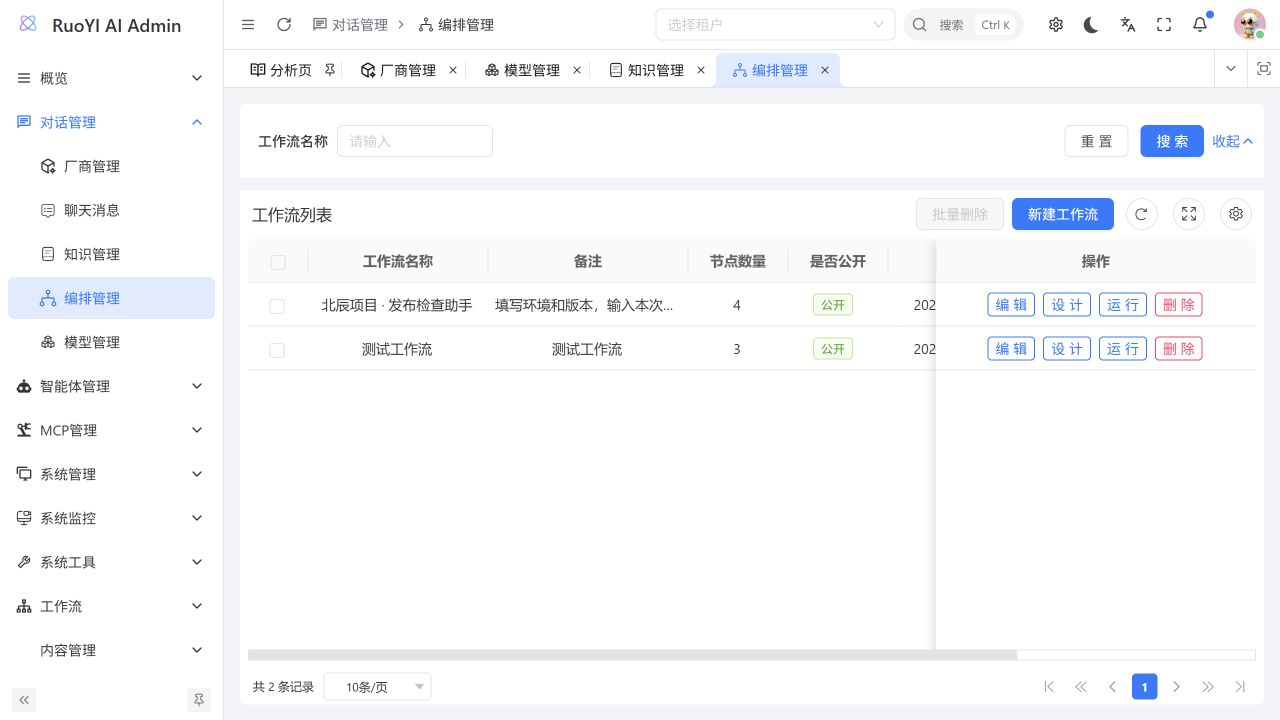
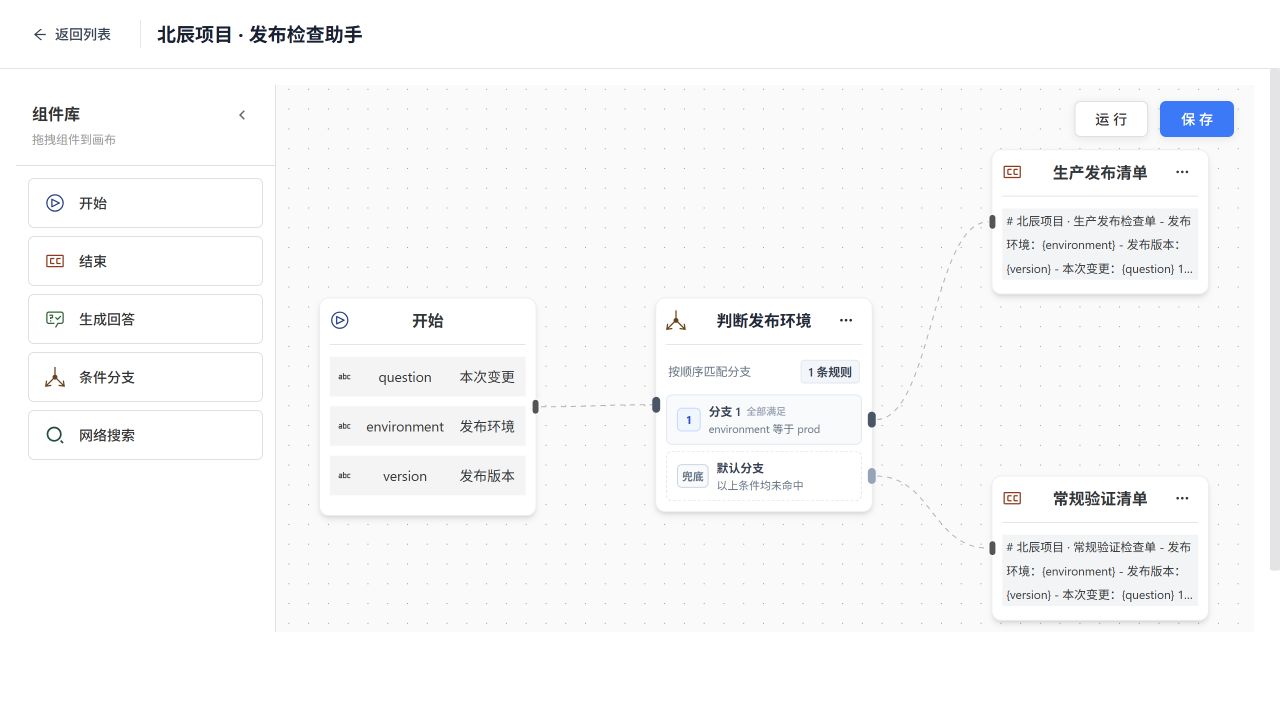
Drag nodes onto the canvas, configure parameters, and connect branches to organize a multi-step task. The release assistant shown here selects a checklist template based on its environment input. Public workflows are available in the user app's market. See Workflow orchestration for node types and debugging.
Agent applications
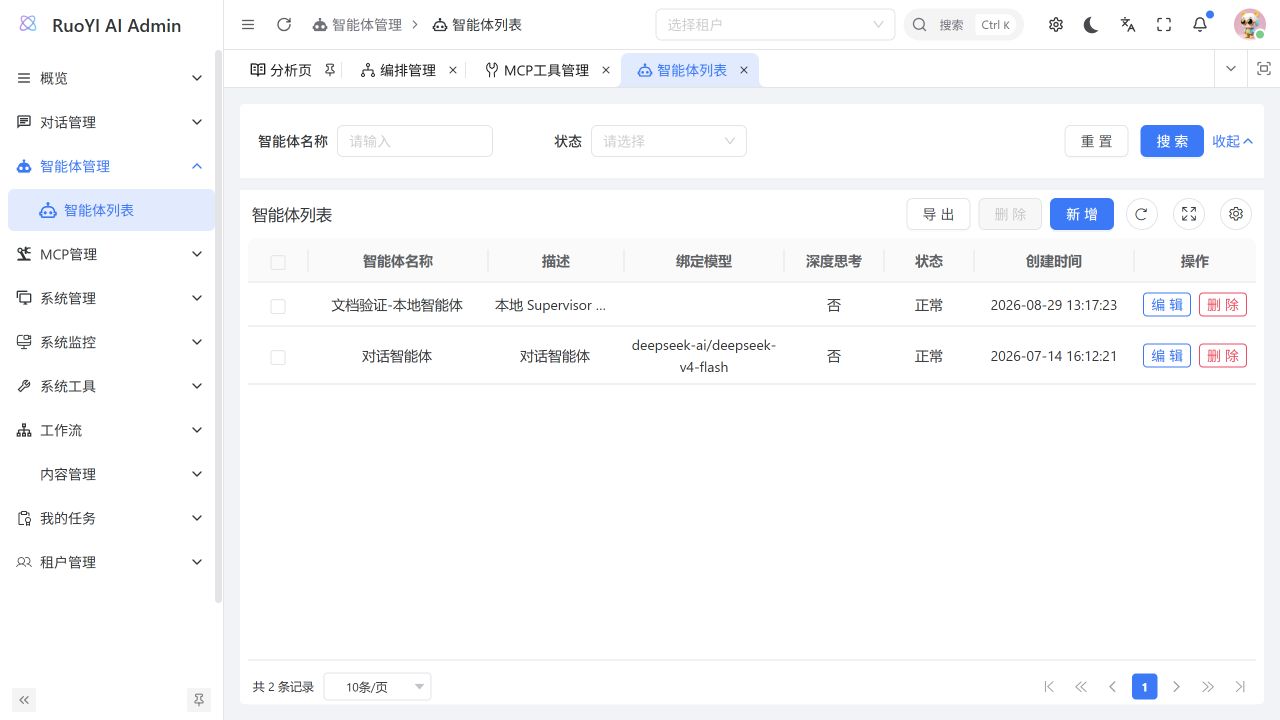
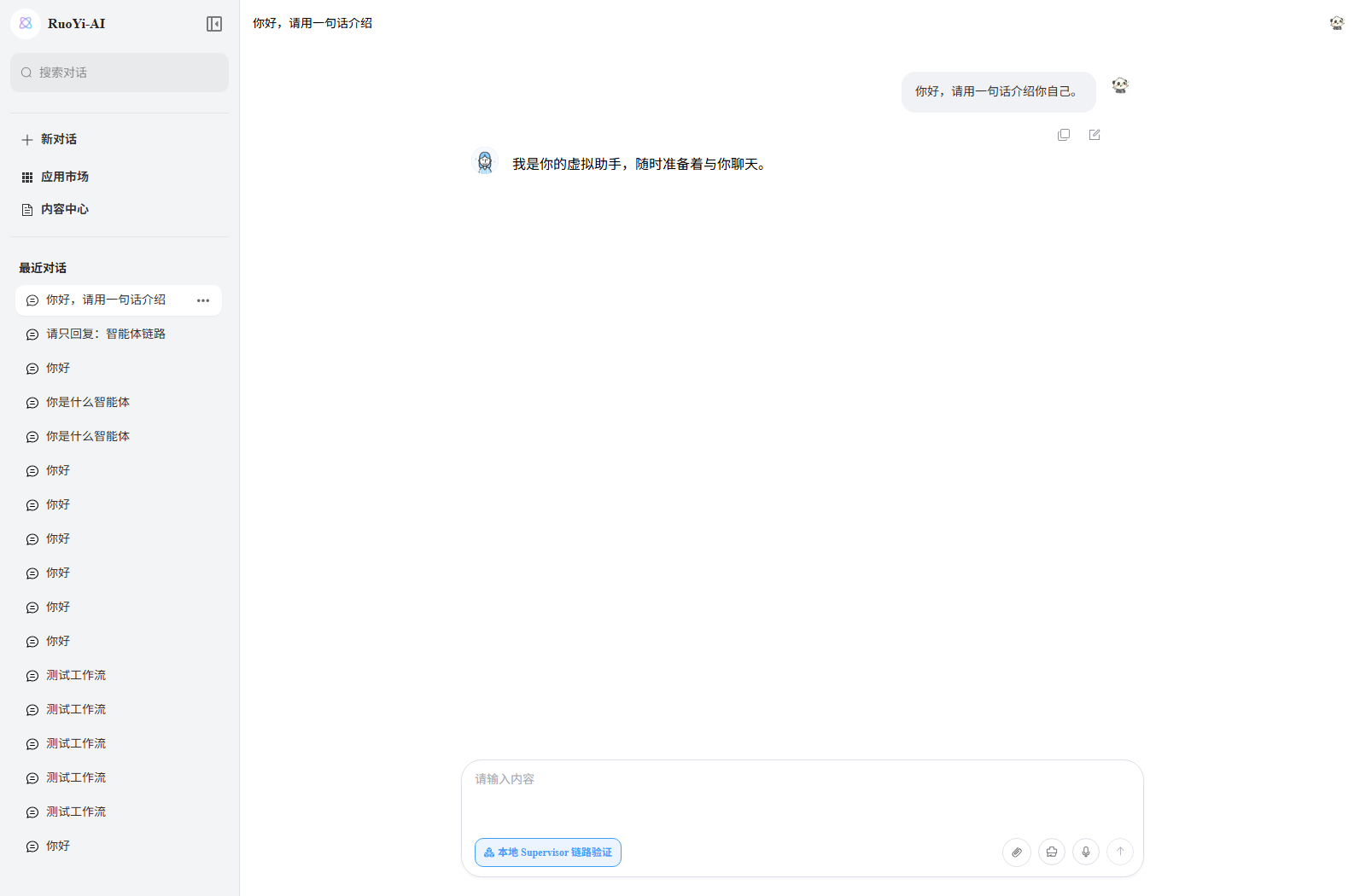
Configure a model, knowledge bases, and tools for an agent in the admin console, then select the application in the user app. Choose models and tools for the task at hand. See Agent management.
Project structure
The project has three repositories: the ruoyi-ai backend, the ruoyi-admin admin frontend, and the ruoyi-web user frontend. The tree below shows the backend repository. Its internal ruoyi-admin directory is the Java startup module, separate from the admin frontend repository.
Expand the backend project structure
ruoyi-ai/
├── 🚀 ruoyi-admin/                          # 管理启动模块
│   ├── src/main/java/org/ruoyi/
│   │   ├── RuoYiAIApplication.java          # 主启动类
│   │   ├── RuoYiAIServletInitializer.java   # 容器部署初始化
│   │   └── controller/                      # 控制器(认证、验证码、首页)
│   ├── src/main/resources/
│   │   ├── application.yml                  # 主配置文件
│   │   ├── application-dev.yml              # 开发环境配置
│   │   ├── application-prod.yml             # 生产环境配置
│   │   ├── logback-plus.xml                 # 日志配置
│   │   ├── banner.txt                       # 启动横幅
│   │   ├── ip2region.xdb                    # IP定位数据库
│   │   ├── i18n/                            # 国际化资源
│   │   └── skills/                          # 内置技能脚本(docx/pdf/xlsx)
│   ├── Dockerfile
│   └── pom.xml
│
├── 🔧 ruoyi-common/                         # 通用模块组
│   ├── ruoyi-common-bom/                # 依赖包管理
│   ├── ruoyi-common-core/               # 核心模块(常量、工具类、配置)
│   ├── ruoyi-common-chat/               # 聊天通用模块
│   ├── ruoyi-common-security/           # 安全模块(认证、授权)
│   ├── ruoyi-common-redis/              # Redis缓存模块
│   ├── ruoyi-common-mybatis/            # MyBatis数据库模块
│   ├── ruoyi-common-web/                # Web通用模块
│   ├── ruoyi-common-satoken/            # SaToken权限模块
│   ├── ruoyi-common-oss/                # 对象存储模块
│   ├── ruoyi-common-sms/                # 短信模块
│   ├── ruoyi-common-mail/               # 邮件模块
│   ├── ruoyi-common-excel/              # Excel处理模块
│   ├── ruoyi-common-log/                # 日志模块
│   ├── ruoyi-common-json/               # JSON序列化模块
│   ├── ruoyi-common-encrypt/            # 加解密模块
│   ├── ruoyi-common-sensitive/          # 数据脱敏模块
│   ├── ruoyi-common-idempotent/         # 幂等性模块
│   ├── ruoyi-common-ratelimiter/        # 限流模块
│   ├── ruoyi-common-tenant/             # 多租户模块
│   ├── ruoyi-common-translation/        # 翻译模块
│   ├── ruoyi-common-doc/                # 接口文档模块
│   ├── ruoyi-common-job/                # 定时任务模块
│   ├── ruoyi-common-social/             # 社交登录模块
│   ├── ruoyi-common-sse/                # SSE推送模块
│   └── ruoyi-common-websocket/          # WebSocket模块
│
├── 📦 ruoyi-modules/                        # 业务模块组
│   ├── ruoyi-system/                    # 系统管理模块
│   │   ├── src/main/java/              # 用户、角色、菜单、部门等管理
│   │   └── pom.xml
│   ├── ruoyi-chat/                      # 聊天业务模块
│   │   ├── src/main/java/              # 聊天接口、服务(智能体、MCP、知识库、OpenAI、FastGPT、Dify等)
│   │   │   ├── agent/                  # 智能体(config/domain/manager/tool)
│   │   │   ├── controller/             # 控制器(agent/chat/coding/knowledge/mcp/shortdrama)
│   │   │   ├── domain/                 # 实体与数据传输对象(bo/dto/entity/vo)
│   │   │   ├── mapper/                 # 数据访问层(agent/chat/knowledge)
│   │   │   ├── factory/                # 模型工厂
│   │   │   └── config/                 # 配置(agent/mcp)
│   │   └── pom.xml
│   ├── ruoyi-generator/                 # 代码生成模块
│   │   ├── src/main/java/              # 代码生成接口与服务
│   │   └── pom.xml
│   ├── ruoyi-aiflow/                    # AI流程编排模块
│   │   ├── src/main/java/
│   │   └── pom.xml
│   └── ruoyi-workflow/                  # 工作流模块
│       ├── src/main/java/
│       └── pom.xml
│
├── 🚀 ruoyi-extend/                         # 扩展模块
│   ├── ruoyi-monitor-admin/             # 服务监控管理
│   │   ├── src/main/java/
│   │   ├── Dockerfile
│   │   └── pom.xml
│   └── ruoyi-snailjob-server/           # 分布式任务调度服务
│       ├── src/main/java/
│       ├── Dockerfile
│       └── pom.xml
│
├── 📜 docs/                               # 部署与脚本
│   ├── docker/                          # Docker编排配置
│   │   ├── ruoyi-ai/                   # 主项目Docker配置
│   │   ├── milvus/                      # Milvus向量数据库
│   │   ├── weaviate/                    # Weaviate向量数据库
│   │   ├── qdrant/                      # Qdrant向量数据库
│   │   ├── neo4j/                       # Neo4j图数据库
│   │   └── minio/                       # MinIO对象存储
│   ├── script/
│   │   ├── sql/                         # 数据库脚本(初始化&更新)
│   │   ├── leave/                       # 工作流请假示例JSON
│   │   └── install-ffmpeg-windows.ps1   # Windows 安装 ffmpeg 脚本
│   └── image/                           # 项目图片资源
│
├── 📝 logs/                               # 日志文件目录
├── pom.xml                             # 根项目Maven配置
├── README.md                           # 项目说明文档(中文)
├── README_EN.md                        # 项目说明文档(英文)
├── LICENSE                             # 开源协议
└── .editorconfig                        # 编辑器规范配置
Recommended development environment
For a first installation, use the following combination. Download links, configuration, and startup commands are in Local installation.
| Component | Suggested version | Purpose |
|---|---|---|
| JDK | 21 | Compile and run Java; the source targets Java 17. |
| MySQL | 8.0 | Store accounts, configuration, and application data. |
| Redis | 6.2 | Matches the Compose configuration in the installation guide. |
| Maven | 3.9.x | Download Java dependencies and build the backend. |
| Node.js | 24 LTS | Run frontend development tools. |
| pnpm | 10.14.0 | Matches the version pinned by the admin frontend. |